article > tech
React Components and this
This changes on the fly, but in React?
When writing React class components, you need to care about this. If you follow along with many React tutorials, you’ll intuitively understand that we use this to refer to state, props, and methods we declare in our components. In this post, we’ll summarize what exactly the this bindings of the properties that make up a component look like.

Properties that can be referenced by this inside a component
- state (+setState)
- props
- refs
- component methods ⇒ throw an exception when handling events
- lifecycle methods
Lifecycle Methods
First, let’s see where the this of a lifecycle method is bound.
import React from 'react';

class App extends React.Component {
  componentDidMount() {
    console.log('componentDidMount() Called');
    console.log('this in componentDidMount is', this); //App
  }

  render() {
    console.log('render() Called');
    console.log('this in render() is', this); //App
    return (
      <div> <div
        <h1>Class Component this</h1>
      </div> </div
    );
  }
}

} export default App;
If you create a class component like this and run it, you’ll see that the console will print something like this (I used codesandbox).
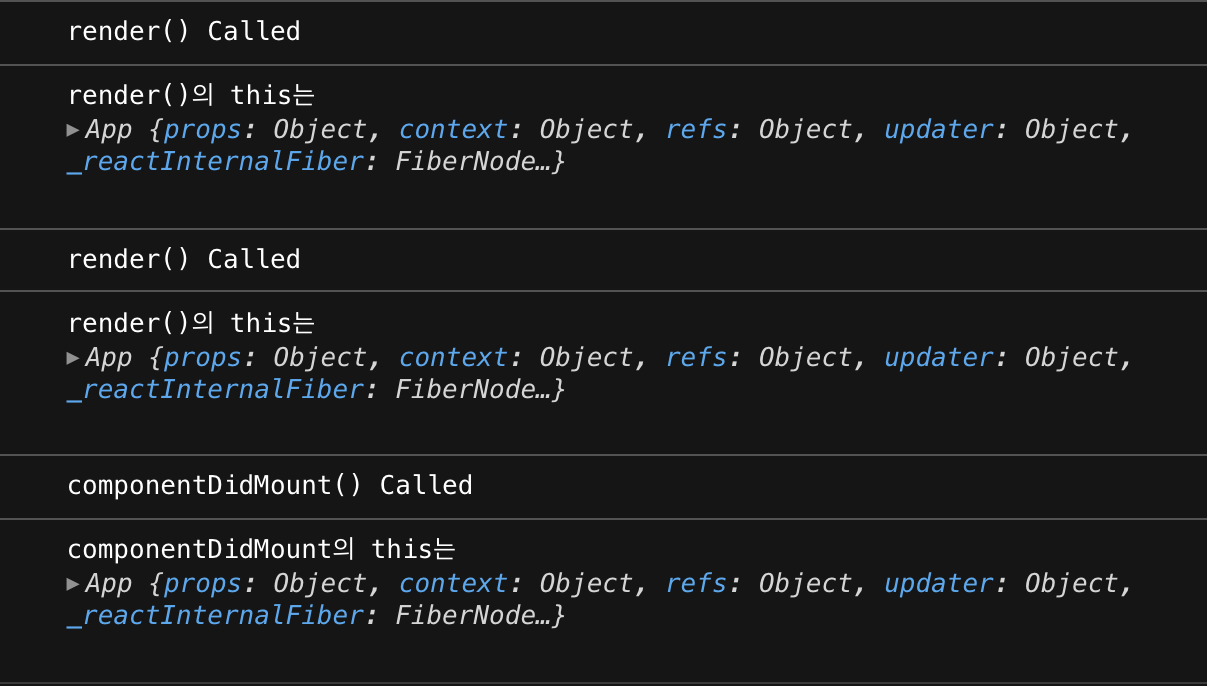 The this in a lifecycle method points to the component that called the method. Since
 this points to the component, any other methods you declare inside the component will be called just fine using this inside the lifecycle method.
import React from "react";

class App extends React.Component {

// Declare a method
componentMethod() => {
  console.log("method called");
  console.log("method bound to this is", this); //App
};

componentDidMount() {
  console.log("componentDidMount() Called");
  this.componentMethod();
}

render() {
  return (
    <div> <h1>Class Component this</h1
      <h1>Class Component this</h1>
    </div> </div
    );
  }
}

} export default App;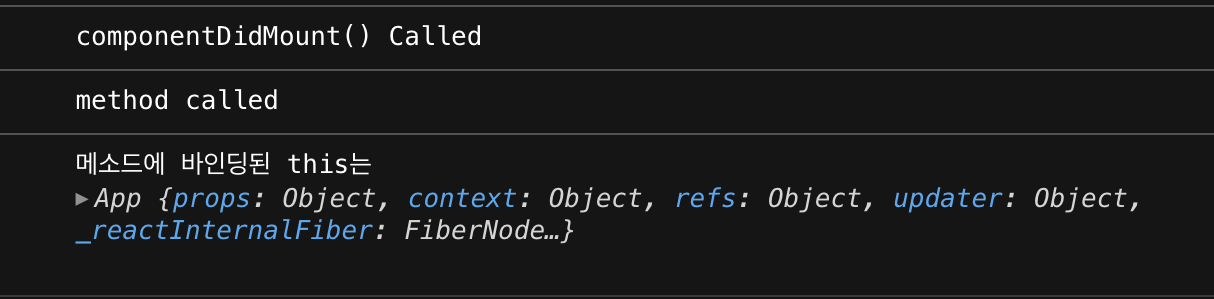
You can see that the methods declared by the component are also bound to this.
Component method exceptions
Methods declared by a component are by default binding that component to this. However, things are a little different when passing a method declared in a component to a callback function in a JSX event handler. Let’s build a very simple React app that increments a number when a button on the screen is clicked.

import React from 'react';

class App extends React.Component {
  // declare state value num
  state = {
    num: 0,
  };

  // Increase this.state.num by 1 when button is pressed
  increase() {
    this.setState((current) => ({ num: current.num + 1 }));
    console.log('this in the increase method', this);
  }

  render() {
    return (
      <div> <h1>Class Component this</h1
        <h1>Class Component this</h1>
        <h2>{this.state.num}</h2>
        {/* Pass component methods to the callback of the click event handler */}
        <button onClick={this.increase}>Increase</button>
      </div> </div>
    );
  }
}

} export default App;
If we pass the method with this as an argument to the onClick event as is, the number doesn’t increment and we get the error this.setState is not a function **.
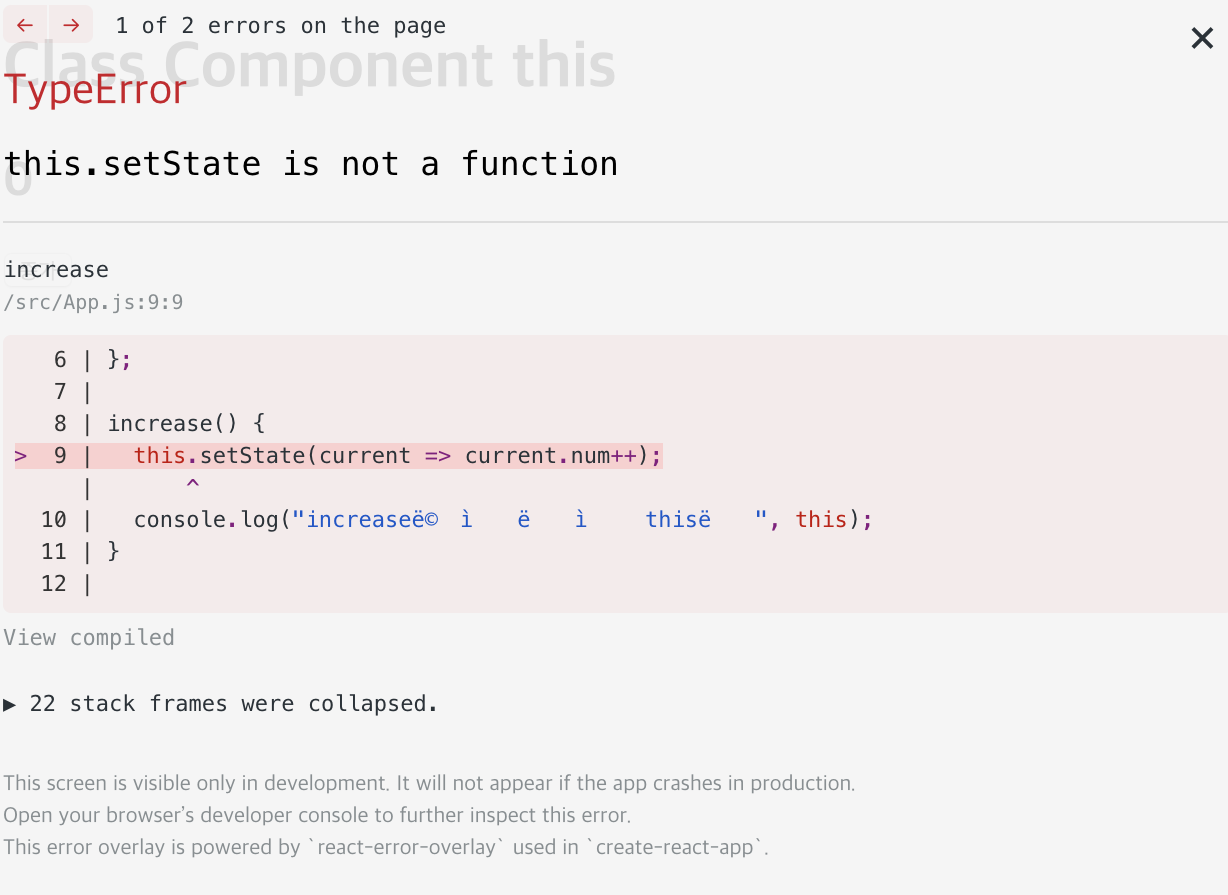
This is because we can’t reference the setState() function with the bound this when the method is executed. This is strange, because as we saw earlier, the this of a method declared by a component is bound to that component, so we should be able to reference the setState() function with that this.
To see why, let’s first comment out the line of `setState()’ that is causing the error.
increase() {
  // this.setState(current => ({ num: current.num + 1 }));
  console.log("This in the increase method is", this);
}
This way, we know where this is bound when the increase() method is called when a click event occurs. Let’s look at the console.
 Interestingly,
 this is bound to the global object window! This is despite the fact that we checked earlier that the this of the method we declared in the component was bound to that component. Why is this happening?
I’m not going to dissect the exact behavior of React event handlers in this post, but I can probably guess that something like this is happening. Take a look at the class we’ve declared below.
class App {
  constructor(state) {
    this.state = state;
  }

  showState() {
    console.log(this.state);
  }
}

const app = new App('num');
app.showState(); // num

const showState = app.showState;
showState(); // TypeError: Cannot read property 'state' of undefined
It’s fine to call a method on an instance of a class, but if you move the method to another variable and call it, you get a TypeError. This is because the method has lost this. When you call a class method on an instance with ., this is bound to the class as it should be, and you can refer to the member variable this.state. However, when you call the method by assigning it to another variable, this loses the class it was originally bound to and is bound to a global object, either windows or global, which means it can’t reference this.state either.
So we can cautiously assume that somewhere along the way React detected the event and called the callback function, something equivalent to a component method being assigned to a different variable and called separately happened, causing the method to lose its original this binding, the parent component, and become bound to a global object. So how do we fix this situation?
Solution 1) bind()
The Function object’s method, bind(), serves to specify the this of a function. When called, it returns a new function with the object as its argument and the function’s this. Write it in Constructor(), or pass the method that called bind() as an argument to an event handler.
render() {
  return (
    <div> <div
      <h1>Class Component this</h1>
      <h2>{this.state.num}</h2>
      {/* Binds the existing increase method to the App that is this in render() */}
      {/* We don't lose this because we've written it explicitly */}
      <button onClick={this.increase.bind(this)}>Increase</button>
    </div>
  );
}
Solution 2) Arrow function
Unlike other functions, arrow functions do not have their own this; they always bind to the this of their parent scope. (This is called lexical this.) An arrow function passed as an argument to an event handler binds to App, the this of its parent scope, the render() method, and returns a component method, where the this preceding the component method refers to the this of the arrow function, which is App.
render() {
  return (
  <div> <h1>Class Component
    <h1>Class Component this</h1>
    <h2>{this.state.num}</h2>
    {/* The yo this that precedes component methods refers to the App */}
    <button onClick={() => this.increase()}>Increase</button>
  </div> </div>
  );
}
Call the functional component’s this
The this in functional components is not as important as it is in class components.
import React, { useState } from 'react';

function App() {
  const [num, setNumber] = useState(0);

  const increase = () => {
    setNumber(num + 1);
    console.log('this in the increase method is', this); //window
  };

  return (
    <div> <h1>Class Component this</h1
      <h1>Class Component this</h1>
      <h2>{num}</h2>
      {/* You don't have to do anything! */}
      <button onClick={increase}>Increase</button>
    </div>
  );
}

} export default App;
First of all, the state of the functional component is managed by the useState hook, so it’s free from the component’s this. Also, both the functional component itself and the functions we declare inside the functional component have a global object as this, so they all have the same this in the first place, so we don’t have to worry about passing callback functions to event handlers.
Functional components seem to have more natural logic to the eye than class components. Classical components have lifecycle methods that are executed when they are created and updated, and these methods are executed automatically without having to be specified in the component. This structure is probably not explicit.
However, functional components including hooks work in the order of the functions and variables you declare inside them, and you don’t have to worry about binding this. I think they have a more explicit structure than class components.